

When you start browsing and a search engine called Wajam you should know that although it is not a virus, it is quite malicious when installed alone. The following article is about the best methods to remove it from your computer.
What is the Wajam search engine?
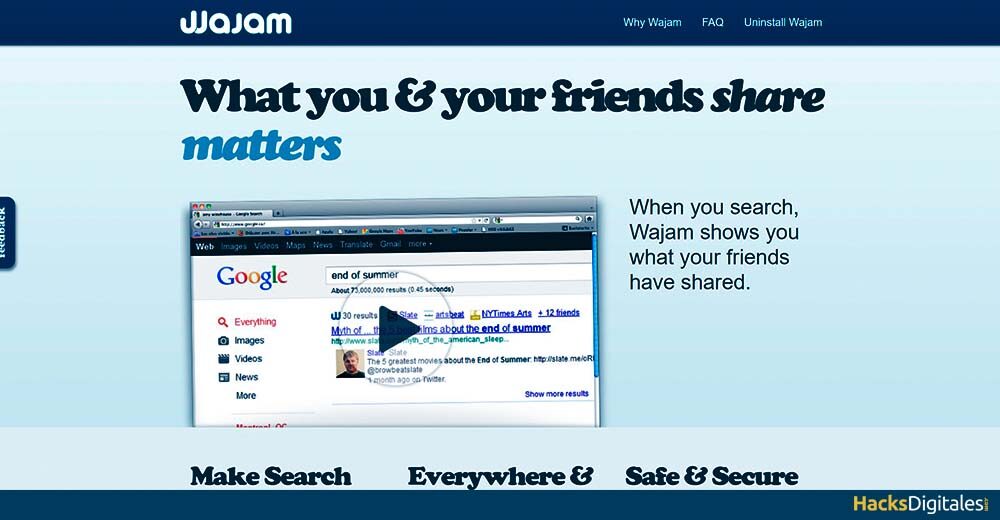
It is an extension of an advertising browser, also known as social search engine, which aims to improve the experience of its users by adding ads and page results exited from Google.
However, has been listed as unwanted program, because it creates ads that the user does not need and is installed without their consent. Many times these Adwares are advertisements for companies that carry viruses that they can damage or collect personal information.
How does Wajam infect your computer?
As we already mentioned it is downloaded alone but it also brings a series of packages, that come with some flash players, most are free, as well as the updates and downloads that it brings. That's why when it appears on your screen upgrade offers where we don't stop reading, we select To accept and there come the problems.
Once we accept these conditions, we can no longer stop the Wajam download process, ads and unwanted advertisements start to appear, For this we bring you several ways to eliminate it without difficulty and definitively from your computer.
What tools are used to remove Wajam from your PC?
There are many options that eliminate this program, but in our opinion and being highly recommended by other web pages, the best option to uninstall it without any problem is Spy hunter, as it instantly detects all files, folders and even the keys of this program.
Once it detects malicious downloads on your computer, permanently removes them. If you want to know more about it, is from EnigmaSoftware Group LLC, if you install it on your PC, don't just fight this show, but also with other types of hijackers or adware. Other tools like Malwarebytes y Antimalware.
Ways to eliminate Wajam from our PC
We bring you a tutorial on how to remove this unwanted program manually and at no cost, for this you must follow the following procedure to the letter:
1. Remove it from Windows XP.
- First move the cursor to Start, found at the bottom left of the screen.
- Select the Control PanelThe "Control Panel" It is an essential tool in the field of systems management and supervision. Allows users to monitor and manage various functionalities of a software or hardware from a single interface. Through graphics, indicators and interactive options, access to relevant information is facilitated, which optimizes decision making. Control panels are used in different sectors, including technology,....
- Once inside, multiple folders will appear, the one you need is Add or remove programs.
- When you access it, searches the list of programs for the one that refers to Wajam.
- Then finish by clicking Uninstall.
2. Remove it from Windows 7
- As in the previous case, go to Start.
- Go to the right side and find the Control Panel.
- Now you must go to Uninstall a program.
- Already on the list, Look for the Wajam program and all its derivatives.
- Once selected, you just need to click Uninstall to remove them from the system.
3. Remove it from Windows 8
- The first thing you should do is look for the Menu from your computer.
- Once found, click on Look for.
- There you must enter Applications or applications.
- Ir Control Panel.
- Then it will appear at the bottom. Uninstall a program, in the folder with the same name.
- Look for the Wajam files that are installed.
- Finally select Uninstall once you've pressed it.
4. Remove it from Windows 10
For this version of Windows, You must take into account two ways to eliminate this search engine from your computer, are the following:
First option
- It all starts in the Start of the system.
- When i'm inside, move the cursor to Settings.
- Double click on the folder. System what can you see in blue.
- When you access you must look for the option Apps and Features.
- As in the previous cases, locate Wajam's name on this list.
- Click on the folder and proceed to Uninstall.
Second option
- This method is shorter because you only have to enter the Menu of the computer.
- Enter the team's search engine.
- Look for Programs and characteristicsand then click.
- Find the Wajam files in the list of programs.
- Choose Uninstall and everything will be erased.
What if we can't uninstall Wajam from PC?
It may happen that all the steps mentioned above do not remove the unwanted program from the computer, because it may indicate that you do not have sufficient or necessary access to uninstall Wajam.
This denied access has an origin, and is that some of the files or services make it impossible for you to do it, if you find yourself in this situation you should do the following:
- Restart the computer using the button located at Start.
- Before your course starts press F8 to change the boot type.
- Once inside, press Advance options, these are in the same boot start.
- There you must change the configuration to Safe ModeThe "Safe Mode" It is an essential tool in operating systems and electronic devices that allows you to start the system with a minimum set of drivers and services. This mode is useful for troubleshooting., remove viruses or restore settings. When you activate Safe Mode, Users can identify and correct faults that prevent the device from functioning properly. Usually, Safe Mode is accessed by pressing a specific key during boot...
- Then press Pay in and wait for Windows to load normally.
- Go back to the Control Panel.
- Finally, perform the same Wajam uninstall procedure.




