

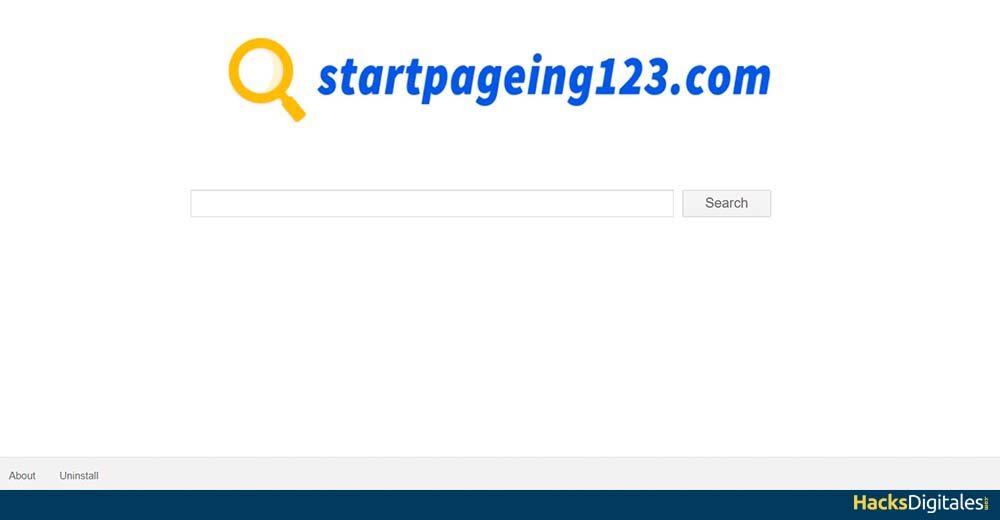
Startpageing123 es un motor fake search that appears in your browser apparently without any activation or download. Many people may overlook it due to its nice appearance and it looks like a full search engine.
However, not trustworthy because it is an unwanted program and it is also a kidnapper of browsers. It is the main responsible for modifying the configuration of your browser as well as changing the address of the page., with the aim that users only use their services.
The biggest problem is that it can cause problems, as it will only redirect you to questionable sites. so that you see numerous ads. Thus, in the following content we inform you of how to get rid of this virus, in addition to learning how to protect your equipment.
Methods to remove Starpageing123 safely
Whichever method you choose can solve this problem, all you have to do is follow the steps in order and correctly to get good results.
Uninstall with Adwcleaner
With Adwcleaner you can eliminate this and many unwanted programs that have been installed on your computer and you have not realized the damage they can cause.
- You must install Adwcleaner on your computer if you don't already have it installed.
- It should to run the program as administrator.
- Select option Scan, for the procedure to begin.
- When you are done with the scan, you must select the option Clean up.
- When the process ends, follow the instructions required by the software.
- Resume the computer.
Uninstall with ZHPCleaner
ZHPCleaner is a software whose purpose is withdraw any adware present in computers, plus potentially unwanted programs (PUPPY) what are browser hijackers, that is why it is an excellent option to get rid of this virus.
- if you have Avast antivirus, you should disable it for the moment.
- Descargar ZHPCleaner if you have not previously installed it on your computer.
- To run the software as administrator.
- Accept licenses.
- You must select the button Scanner, where will you start this process.
- When the scan is finished, you must check the option Fix.
Desinstalar con MalwareBytes Anti-Malware
This application gives us greater security, in addition to being very reliable when it comes to performing deep scans on your computer. Detects and look for all kinds of threats and malware, so it is able to perform these scans when the computer needs it, this in a free and it is usually very fast and easy to use. All you have to do is the following:
- Download the software from Malwarebytes Anti-Malware if you don't have it on your computer yet.
- Install it and accept the license terms.
- You must check the option Fix it now and then go to Update now.
- When you've done it, you must choose Analyze PC.
- Select option Complete analisis.
- Later, Mark Analyze now.
- When the software has finished with the process and has informed us of all the results and threats, we must press the box All quarantined.
- Then, the program will require restarting the computer.
Remove from Windows manually
You must go to the options Control PanelThe "Control Panel" It is an essential tool in the field of systems management and supervision. Allows users to monitor and manage various functionalities of a software or hardware from a single interface. Through graphics, indicators and interactive options, access to relevant information is facilitated, which optimizes decision making. Control panels are used in different sectors, including technology,..., then look for the programs tab, where all those that are installed on your computer will appear. You must search the list StartPapeing123 and all those programs that are related so you can uninstall them.
Remove StartPageing123 from Windows shortcuts
- Click the right button of your browser icon.
- Go to option Properties.
- In the tab Direct access, then you must go to the space called Destiny there you must delete any URL unknown and put the url of your choice.
IDEA: Warning: It is important that you perform these steps in all the browsers that you use on your computer..
Delete from Mac
It is very strange that a StartPageing123 hacker is able to infect Mac, However, if your Mac happens to be in such condition, we show you the next steps:
- Go to option Ir located at the top left of your browser screen.
- You must choose the option Applications.
- You should look for StartPageing123 and other programs that are related to it and seem suspicious to you, then you must click on the right button of each of the programs and select “Move to trash.”
Remove from Internet Explorer
- You must delete everything accessories that are visibly dangerous, to achieve this you must access the Internet Explorer menu, and there will appear a list where you will access Manage add-ons.
- Search StartPageing123 and any other plug that looks suspicious to you, then you will have to mark them and select the option
Remove from Microsoft Edge
- You may Resume your settings if you suspect harmful items on your computer.
- Later, you must access the browser and press More on the three dots icon at the top.
- To select Settings.
- Access option Choose what to erase.
- Thus, A list will appear where you will select those elements that you want to delete, when you have finished choosing the suspicious items, you must click on Clear.
- Later, you must go to Windows startup, where will you choose the option Task ManagerTask Manager is an essential tool in Windows operating systems that allows users to manage running processes, Monitor system performance and track open applications. Accessible via key combinations such as Ctrl + Shift + Esc, Provides detailed information about CPU usage, memory and disk. What's more, makes it easier to complete unresponsive tasks and.....
- You will find the tab Processes, there you will see Microsoft Edge.
- When i found it, you need to right-click and select Go to details and subsequently More details.
- When i can see said tab, you should find all those entries with the name of Microsoft Edge. On all these you must click on the right button and select Final task, this way all your entries will be deleted.




