

Have you tried again and again to see enter iTunes and you can't have access? You may think that it is an error in the application, But the truth is no, it is you who has forgotten the password. If so, don't despair, it happens very often, so the following article is dedicated to guide you on how recover your iTunes password.
What information will you need to start your account recovery?
If you are going to begin the process of resetting your password, you should have some necessary information on hand. This will make things easier for you and prevent you from wasting time in front of your computer or mobile device.
When you created your account, the system asked for a recovery email. Do you remember? Do you remember the password for this email? Well, We suggest that you keep this email open so that the process can flow more quickly.
If for some reason you do not remember the recovery email or cannot enter it, do not worry, the possibility of reset password using security questions that you created when registering your account. Remember what they were or see if you have them written somewhere.
These are the two ways to quickly recover your password.
Steps to reset your password using your personal security questions:
Follow the instructions below:
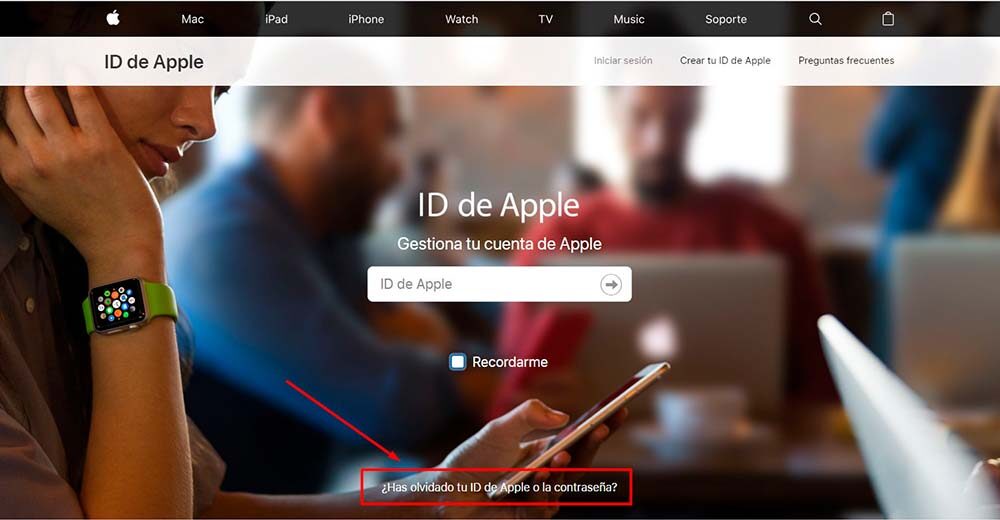
1. Open in Safari and enter https://appleid.apple.com/#!&page=signin. Then, click where we point in the screenshot.
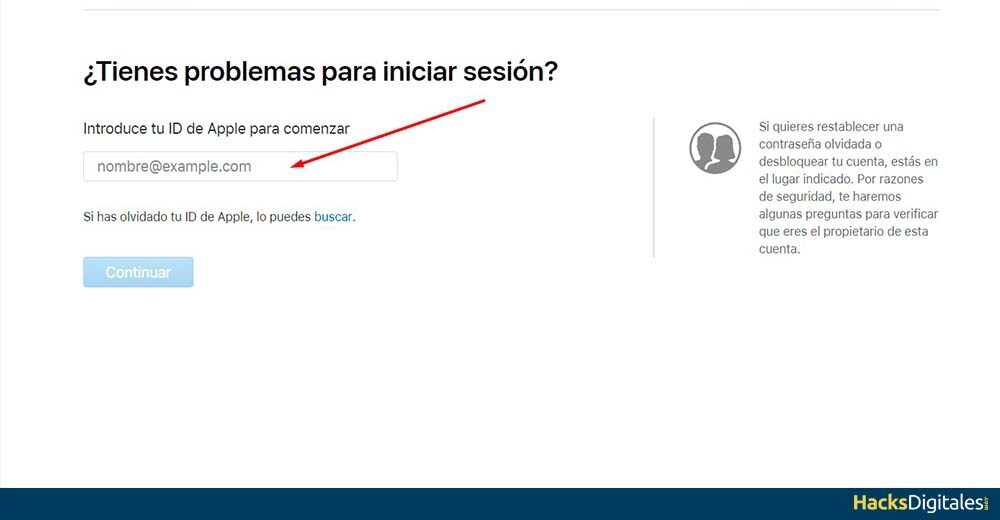
2. Once you enter the link you will see the option where you should Enter your ID.
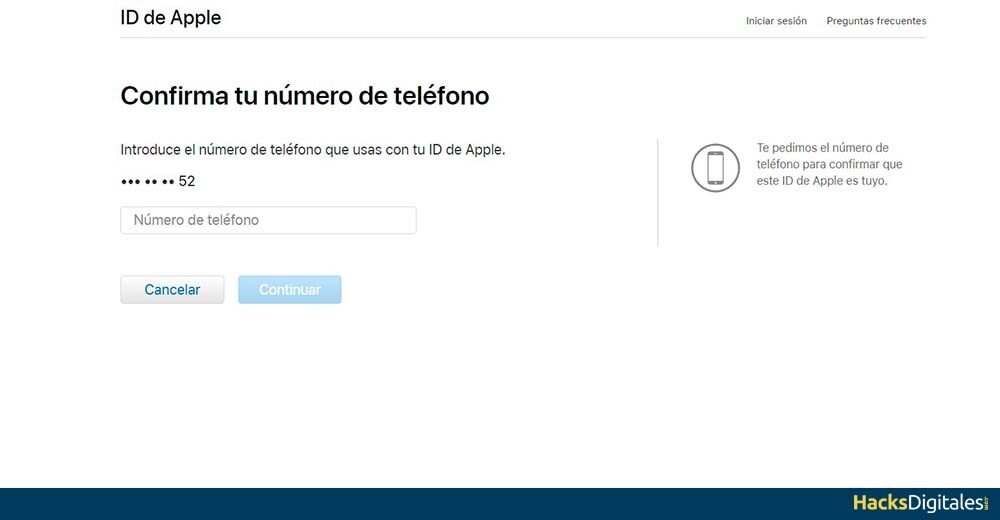
3. Now the system request your phone number associated with the account.
Four. If you don't have access to your devices, you can try these options.
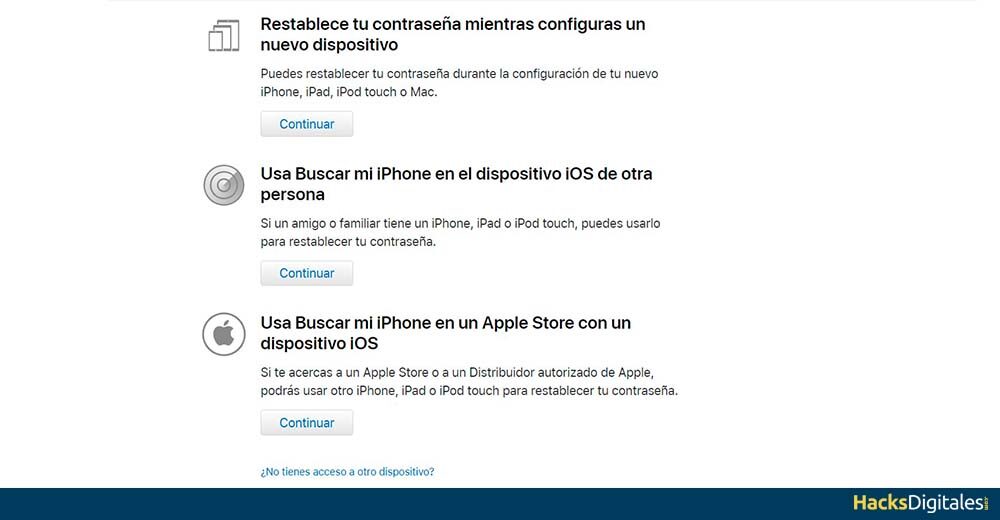
Answer each of the questions that are presented to you. Then you must press the option Continue.
Why do we forget our passwords?
Sometimes, we think we have an infallible memory, But the truth is that with so much information that we receive every day, it can happen that we forget certain things, between them, the passwords of our digital accounts.
The passwords that we forget the most are usually those that remain by default on our PC or mobile. When it's time to close accounts and re-enter passwords, It usually happens that we do not know what it is, since we only enter them when we open the account.
Passwords that are too complicated with strange or alphanumeric words are also often the most forgotten. Many of us, in an effort to create a very strong password, we exaggerate and enter words combined with numbers and special characters without any meaning.
Tips for not forgetting passwords
Forgetting the password of any of our digital accounts is extremely common and has happened to all of us at least once in our lives.. It is normal that with so much activity on the Internet our memory plays a trick on us. Therefore, We have developed the following tips to help you prevent this from happening again:
- Write the passwords somewhere. We know that for some people this is not the best option for several reasons, However, having the password written on paper will prevent you from forgetting it again. The recommendation is that you look for a physical or digital agenda to which only you have access.
- Don't use the same passwords for all accounts. This is a mistake that is usually paid dearly. If a malicious person discovers the password for one of your accounts, will surely try the same with the others. Therefore, each account must have a different password.
- Same password with different variants. If your style is to use the same password, try to make it have some variations. For example, if your password is “reflected” for one account, for your other account it could be “reflected061”. You should only have notes of each variant.
- Known words. Use words or numbers that are common in your environment, combined in such a way that they are not easy to guess. Setting keywords for strange words in your everyday life will make you forget them very quickly.
- Platforms for storing keys. In this case, there are specialized Internet platforms that allow you to save all your passwords in them. You just have to remember the master password for this account and once you enter this account, you will have all the others at your disposal.




