

Windows DefenderWindows Defender is a security tool built into the Windows operating system, designed to protect users against viruses, malware and other online threats. Offers features such as real-time analysis, Cloud-based protection and automatic updates to ensure continued device security. What's more, its interface is intuitive, making it easy to use even for those who are not tech savvy. With the increase.... es una aplicación innovadora que viene con Windows 7, 8 Y 10. This system works as a free antimalware protection and you may not even realize you have it.
That is why many people decide to install a high-quality antivirus to protect their information.. If you are one of those people, We recommend that you take note of how to disable Windows Defender. Thus, you can stop keeping two antivirus programs running simultaneously, causing the waste of your computer resources.
Deactivation process
The first thing to keep in mind is that you will not be able to uninstall Windows Defender. This program is part of the operating system and will remain installed as long as you use Windows. However, we can tell you how to disable Windows Defender so that it is no longer running.
The process of deactivating Windows Defender will depend entirely on the type of Windows you have. Because the process for Windows 10 it is different from Windows 7 Y 8. In this article we will explain both methods so that you can perform the action in any of the 3 versions.
It is essential that you make sure you have a proper antivirus before preparing to disable Windows protection.. Since it is not advisable to leave your computer without any type of protection.
How to disable Windows Defender in Windows 10
This is a pretty simple process., that allows you to deactivate without too much trouble and with little knowledge. What's more, It will be safe and you can re-enable it whenever you want.
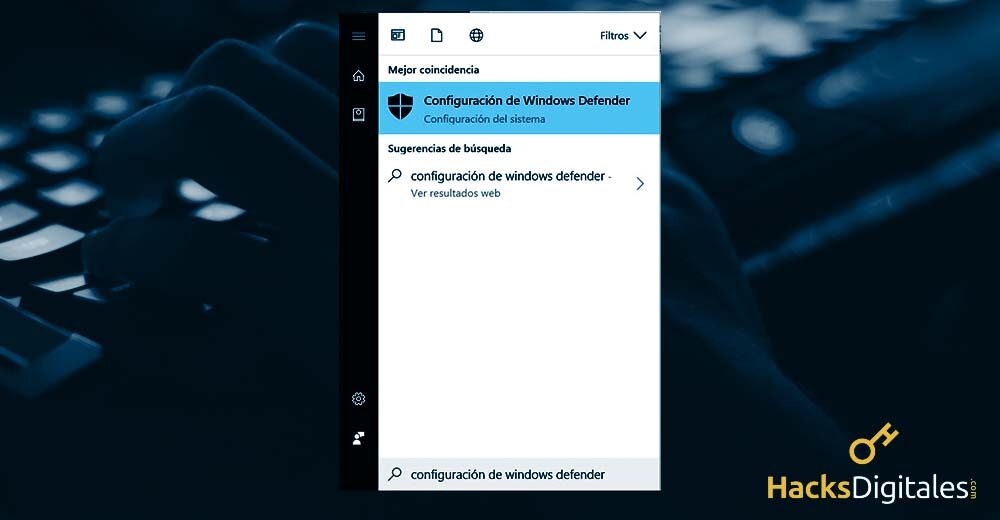
To start you must open Windows Defender. This can be done using the main menu search (Start) and writing: “Windows Defender Settings”. Then click on the option when it appears on the screen.
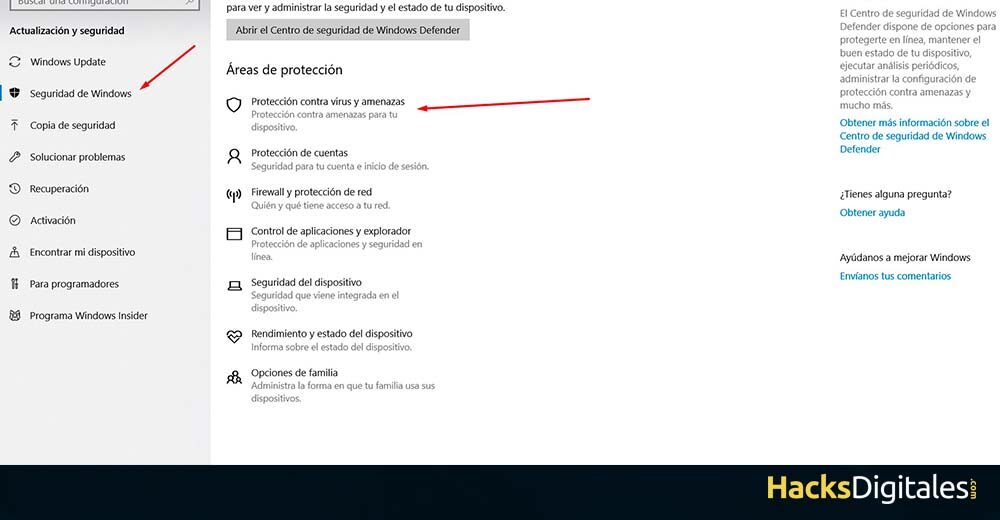
Once inside we must click on "virus and threat protection" and subsequently we deactivate the first option what by the way, it's called the same where we clicked before “protection against viruses and threats”. Done all this we reboot our Windows 10.
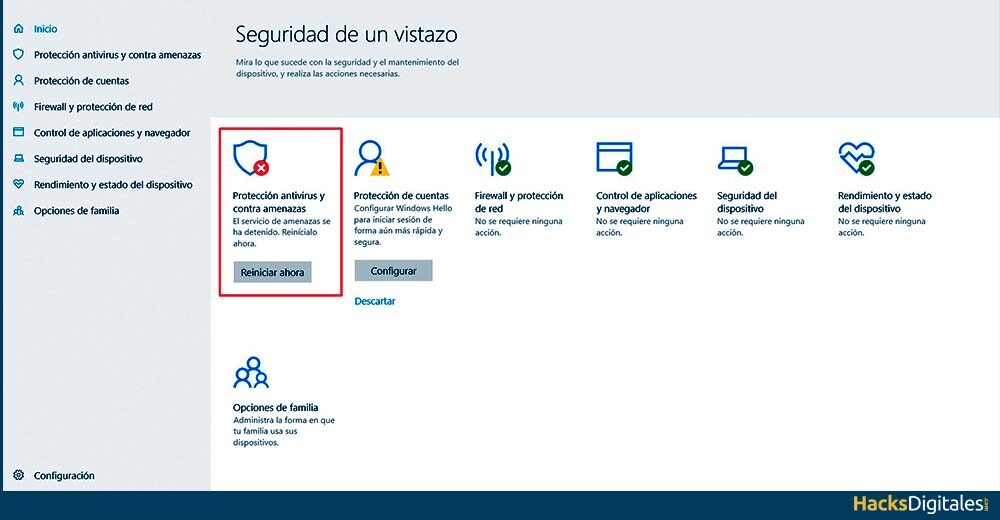
After having done the above, we go back and verify that Windows Defender has been disabled correctly.
Finally, once option “Protection against viruses and threats”, we must restart the computer.
How to disable Windows Defender in Windows 7 u 8?
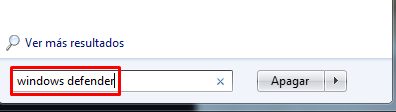
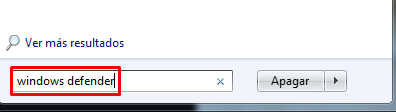
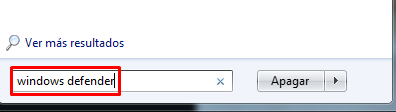
To disable the Windows Defender service, you must access the section from the Start menu by placing “Windows Defender” in search engine.
After doing click on the application go to «Tools». You can see this section in the menu at the top of the window. later, proceed to click on the item “Choices”.
Here you will see a window with an options panel on the left side. Click on the option “Administrator”. You just have to uncheck the box corresponding to “use this program”, Click on “Keep” and ready.
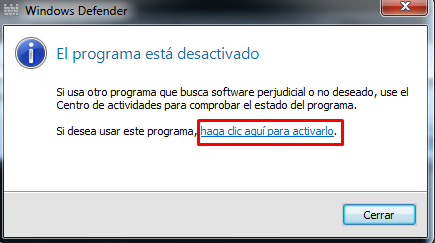
Then, you will be notified that Windows Defender is disabled. What's more, it will give you the option to reactivate it the next time you want to use it.
How to permanently disable Windows Defender?
If you want to know how to disable Windows Defender And may he never return himself, then, follow this process.
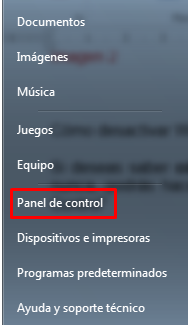
The first thing to do is go to the “Control Panel” in the Start menu.
Moving on to the area of “Services”. Si no tiene esta opción dentro del Control PanelThe "Control Panel" It is an essential tool in the field of systems management and supervision. Allows users to monitor and manage various functionalities of a software or hardware from a single interface. Through graphics, indicators and interactive options, access to relevant information is facilitated, which optimizes decision making. Control panels are used in different sectors, including technology,..., you can access by typing “services.msc ”in the Start menu search engine.
Here you will see a list of applications with their name, description, condition, login type and login. Find the Windows Defender application and double click on it.
A window will appear with Windows Defender Properties. In it you must change the start type to “Disabled”
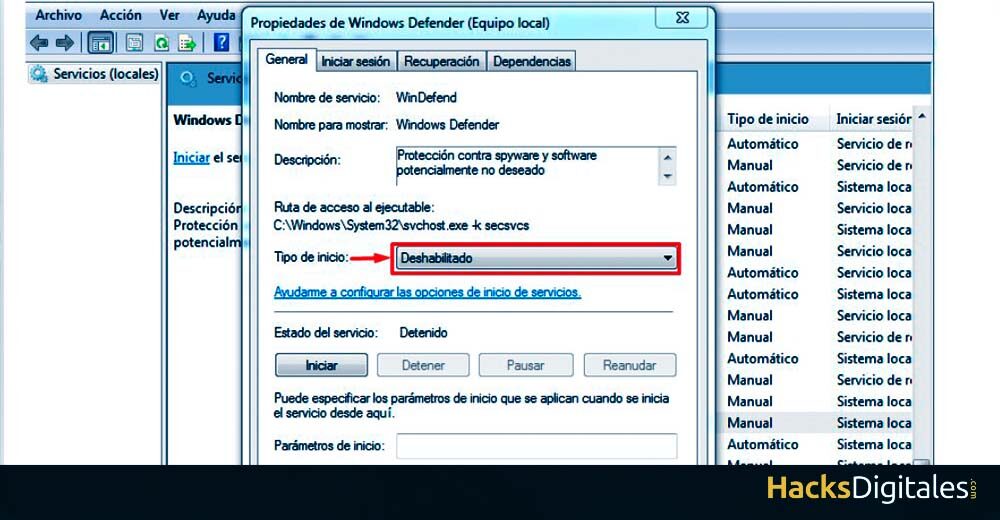
This way you will get disable Windows Defender so you can use the antivirus system of your choice.
Rehabilitate the service
It is important to remember that you can reverse the system to reactivate it. Starting from the last step to the next. Namely, will start by going back to the box “Services” and opening the Defender Properties to place “Enabled” in your start type.
This can only be done, as, as we have said before, Windows Defender cannot be uninstalled. If your computer has a version of Windows 7, 8 O 10, you will have Defender protection on your system.
Windows Defender system benefits
Many people are a little careless with their electronic devices, so they are often damaged. Microsoft, realizing this detail, attached to their operating systems (Windows) intrinsic protection. And this feature allows users to browse the web safely, even if they don't have an antivirus installed.
Performance vs protection
Having an antivirus system is the best way to prevent your computer from being damaged by this malware. However, having more than one protection system can cost your system dear. This is because these programs consume your computer resources and, Thus, reduce the performance of your computer.




