

Over the years, the use of the Internet as a means of communication has become a key factor in our lives.. At work, in the schools, in the universities, the use of this medium is essential, not just for research, but also to send and receive information through email, which is a tool to communicate quickly.
It is important that we all update ourselves and learn to develop in this environment, so if you want to know how to create an Outlook account and access this email, with the following information you will learn how to achieve it.
In this article we will show you how Enter your email from Outlook, to find out you just have to keep reading.
Process of how to create my Outlook account
Creating an Outlook account is extremely easy and fast, just follow these simple steps so you can enjoy this amazing and useful platform:
Access the Outlook web page
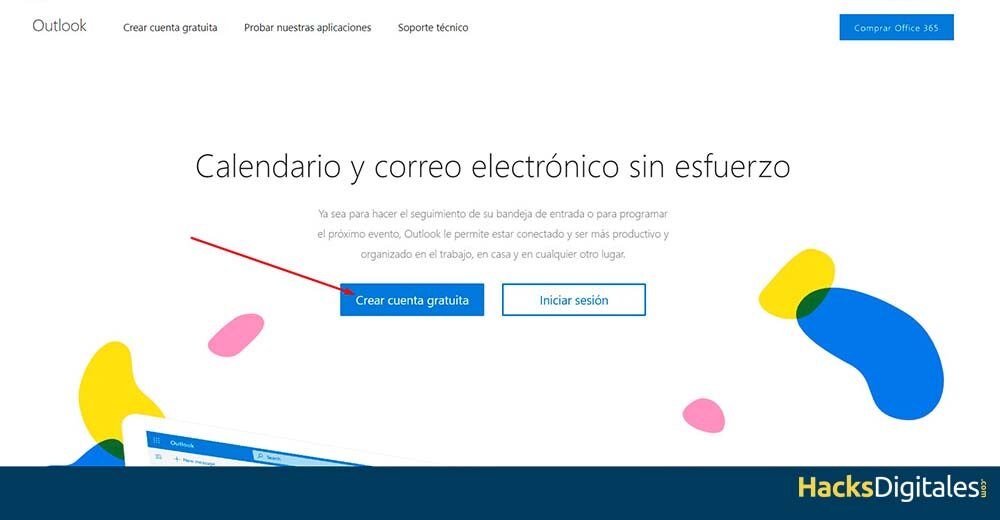
To create an Outlook account, the first thing to do is enter your website, that you can find by typing in Google “Panorama”, Or you can go to: https://outlook.live.com, it's quite easy and fast.
Click on “Create a free account”
This way you can start entering your data to creat your account. Think that you have to be very careful with the username and password, since you have to provide secure and very personal data.
Create an account
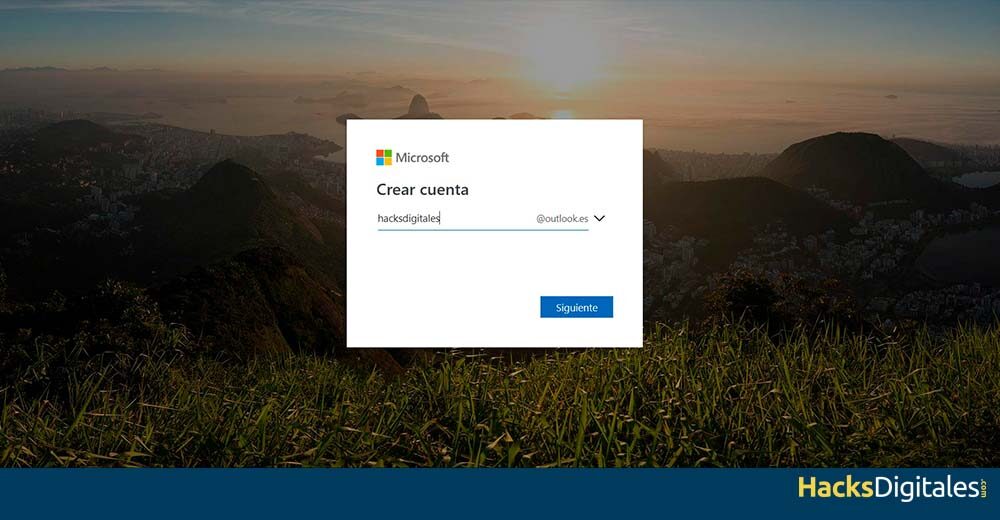
When you have already had access to “Create a new account”, immediately afterwards you will see the option “Create an account” where you are going to enter the email you want to create, which will end in “@ outlook.es”.
Checking available mail
After you enter your email, the platform will begin to analyze your availability, if there is another person who already has that email address you must introduce a different one.
create a password
When you have already obtained a Email exclusive for you, what you need to do next is create a password, as it is necessary to start using your account and log in.
This account must be private and very safeSo, you should be careful when choosing it. Note that when choosing the password and checking the option “Next”, Outlook indicates that you accept the Microsoft service agreement, in addition to the entire privacy and cookie statement. What's more, passwords must have at least 8 characters, plus a minimum of two items, as uppercase and lowercase letters, numbers and symbols.
Complete the information
later, panorama It will ask you for more information about yourself, you will have to put your name and surname before checking the option again “Next”.
Add details
What panorama needs all the possible information about you, you must indicate which country or region you belong to, as well as indicate your date of birth. After doing it, check the option again “Next”.
Fix Captcha
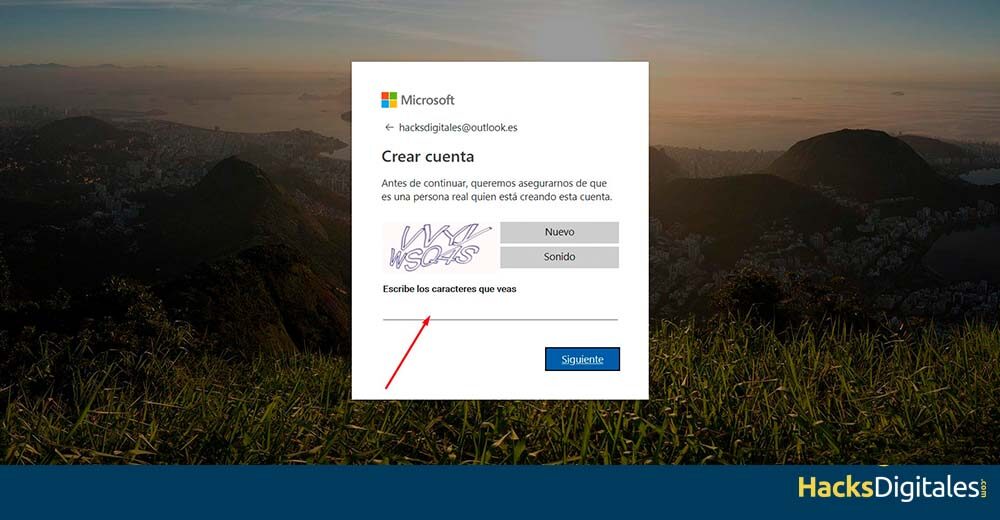
The last step is to fix the security captcha to verify that you are not a robot. It is a measure that many websites take today.
Log in to Outlook
When you already have your personal email account, all you have to do is access your account panorama from your computer, tablet or mobile device. You just have to follow the steps that we will give you below:
Please select “Log in”
After entering the Outlook platform, must select “Log in” and follow the steps that the platform itself will ask you.
Enter your email, phone or Skype account
You have to write your email or any of the other two options. Please note that you have to write exactly your e-mail, because if you make a mistake you will not be able to access your account.
Enter your password
In the next step, you must carefully type your password before pressing “Next”, in this way you will access your account panorama quickly and easily.
Advantages of using Outlook
There is no doubt that all the tools that the Internet provides us are extremely useful for our day to day, since they favor each of our tasks, either at work, in classes or at home. For this reason we are going to name some of its advantages, so that you are encouraged to create an account on this platform, if you haven't done it yet, and so you can enjoy each of its great features.
Easy to use
The Outlook platform is very easy to use, so you will not have problems when entering for the first time. What's more, Registering and creating an account is extremely easy, since it is done quickly and without many requirements. The most important is find a unique and personal email address.
Contacts are linked to Skype
If you also have a Skype account, you can use it for Outlook, since some years ago Microsoft started using this video calling tool. For this reason, all your Skype contacts will automatically sync with your Outlook account.
Good design
When Outlook was Hotmail it was considered a very useful tool, However, its design was not adequate due to the amount of publicity. However, al ser Outlook, its design is much cleaner and customizable, since you can change its colors as you prefer, it is also very easy to do.
Has an alert system
Because fraudulent messages are often sent, Outlook has a feature that complements spam filters, since this platform is responsible for making senders aware of the senders' security through certain colors (like green, yellow and red). Green means they are fully trusted senders, yellow identifies spammers and red means they are very dangerous.
Has a search system
At the top of the inbox it's easy to find the search system, where you only have to write the name of what you want to search and the platform will immediately find any contact or email.




