

Many people have computers on which they have no information about the operating system they use. Although it is not necessary that you know all the data of this operating system, it is always important to know some details.
These details will allow you to install compatible programs and games, significantly improving the user experience. If you have ever wondered: how do i know what windows i have? We give you some methods to find out.
Know your operating system
There are three fundamental details that you should know about the operating system. These will allow you to use your computer with familiarity. Some of these data are:
- Windows version. It is very important to establish which Windows host you are using. It can be Windows Vista, XP, 10, 8 O 7, among others.
- What edition of Windows is it? The most popular are usually Pro and Ultimate. However, there are other options besides these.
- What kind of CPU do you have? Either from 32 O 64 bits. In this sense, We must always keep in mind that current managed computers maintain a version of Windows from 64 bits. While the older ones stay with the 32 bits.
This information will be useful when installing new software on your computer.. Another favorable aspect is having the necessary information when requesting technical advice and help from the system. What's more, will facilitate the advance of readjustment in the controllers.
Simple method to know what Windows you have
Like any process, there is a quick and easy method to know the information of your operating system. The method can be used regardless of the type of Windows you have running and it is done in the same way.
Simply by pressing on your computer keyboard the shortcut of the Tecla de Windows + la letra “R”. Lo cual te permitirá abrir la ventana “Run” donde debes colocar “winver” y presionar Enter.
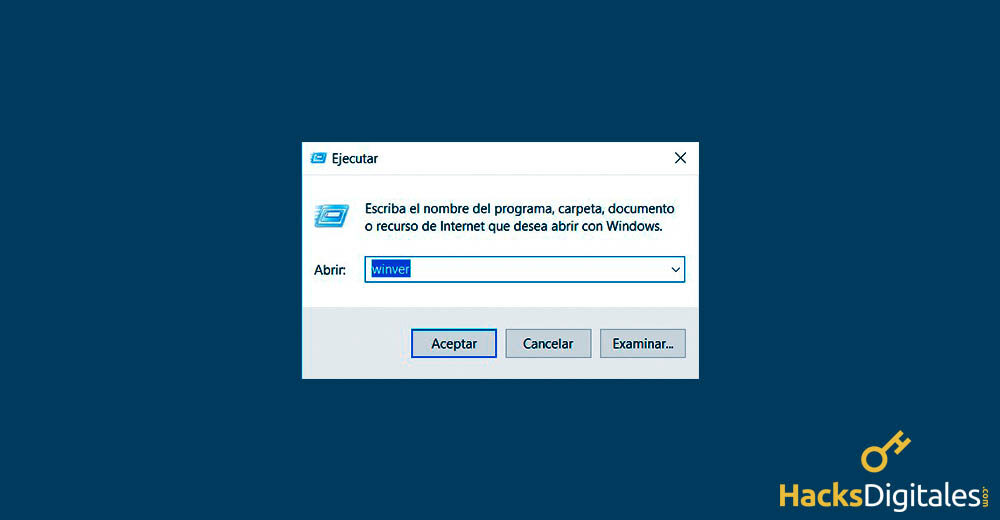
This will allow you to see a window with your Windows information.
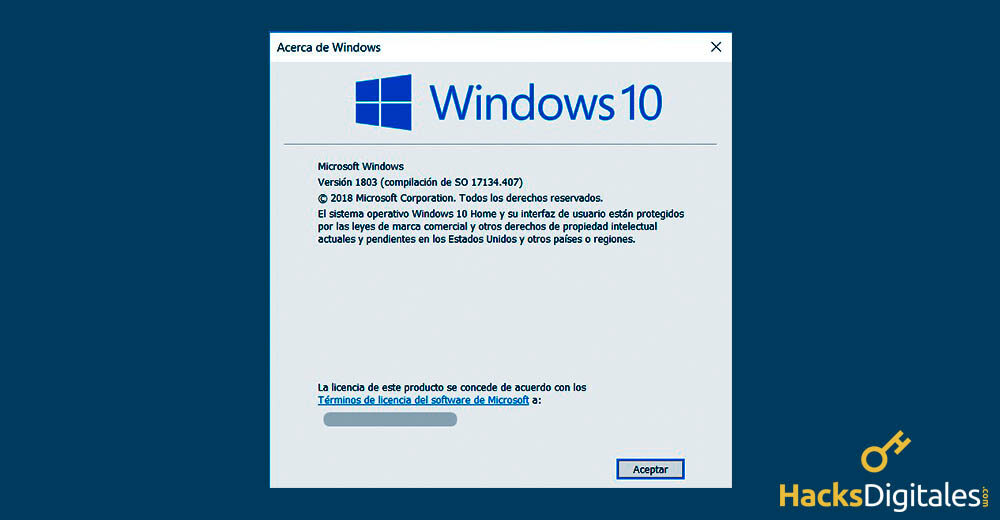
How do I know if my operating system is 32 O 64 bits?
Solo, previously, you will be able to answer the question of how to know that I have Windows. However, depending on the version of Windows, there are techniques to get more information about the system.
Windows 10
In this case, you will be able to access the information by pressing the right button of the mouse in the Start menu. As a result, You can enter the Advanced User menu. Dentro de su lista de opciones podrás distinguir una llamada “System”. Which it's, this window will provide you with the information you need about Windows 10.
Windows 8
This version of the system allows knowing the information, using the quick method that we named at the beginning or using the same Windows process 10 and its Power User menu.
Windows Vista, XP and 7
This process is practically the same, since they are very similar versions. You can find the information by clicking on the Start menu. in the search area, scribe “System”.
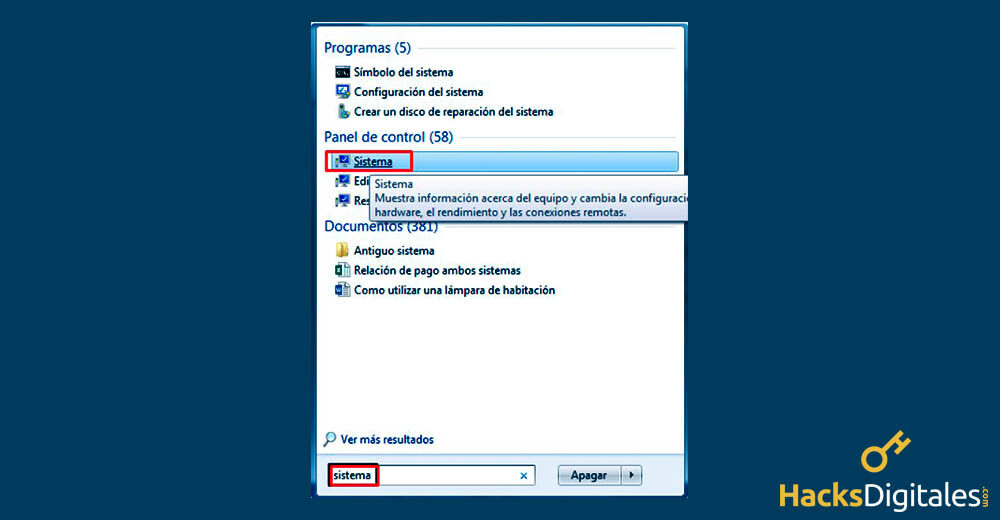
A window will appear with all the information about your operating system. For example, if the operating system is 32 bits o of 64 bits.
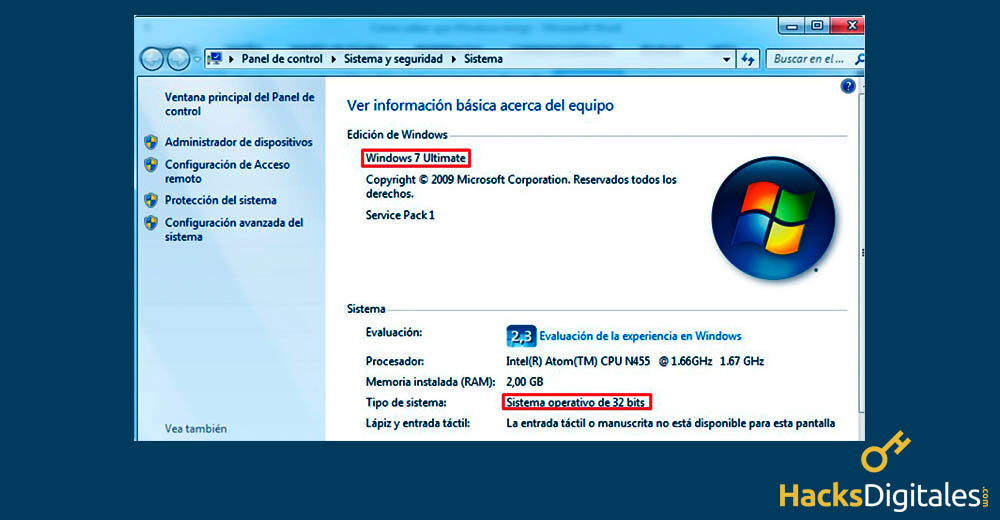
These three versions have very marked differences. However, follow the same procedure in this regard.
System information
It is always good to know the information on your computer and answer questions like how to know that I have Windows installed. Given the, this facilitates the use of the equipment. What's more, You must bear in mind that any program or application that you are going to use will depend on the system that your computer uses.




