
Onyx is a free software created to perform cleaning and maintenance tasks on Macs.
Something you should pay attention to is that there is a specific version of this tool created for each version of Apple's desktop operating system (macOS Big Sur, Catalina, Mojave, etc.).
For this, you must download the appropriate version for your system. Do not try to install another that is not compatible.
Clean and optimize your macOS and OS X systems
Unlike other cleaning apps for Mac, like MacBooster, this is a totally free program. At the same time, it is very popular with Apple users, who do not hesitate to recommend it for its favorable results.
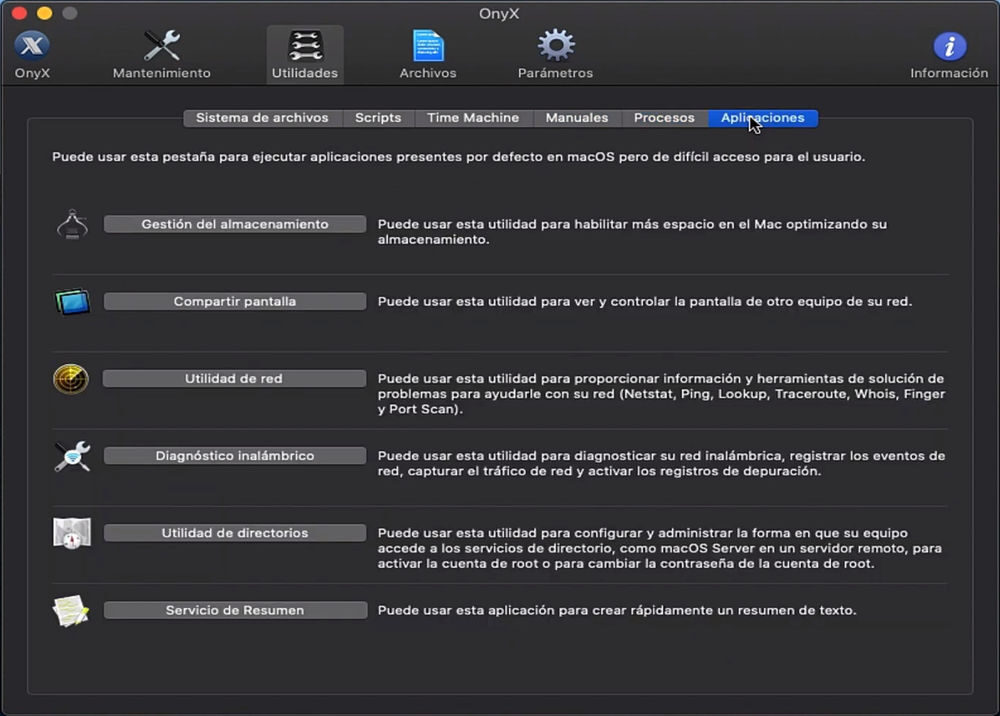
OnyX is an all-in-one utility that offers multiple functions for optimal Mac performance. Among these functions we have the system cleaning, browser and junk file cleaning, cache and registry cleaning. It also has a startup and memory optimizer.
And it is that as Mac users know well, the operation of these is decaying with the passage of time. This means that the performance of the equipment is not the same as when you bought it. At the same time, there is the issue of storage. Well, having disks with little storage capacity, they end up filling up quickly.
To get the most out of your system and free up space, The first thing OnyX does is check the disk structure. Later, shows you the different options you have, so you can choose what you want to do.
Although the user interface is friendly, their different functions may not be entirely clear to some. In this aspect, its use is recommended for somewhat more advanced users, since the tool is capable of Make changes to the deep structure of your Mac. If you are someone who considers himself a newbie, improper use of the software could damage your computer.
Once these risks are known, you have in front of you a powerful disk manager with advanced functions. With the tool you can organize your disk, run scripts, clean junk files and even configure certain hidden Finder parameters, Dock y Safari.
Launched in 2002, OnyX has different versions, each for each version of the Mac operating system. This means that there is a version for macOS Catalina, Mojave, High Sierra and even for OS X systems (Captain, Yosemite, Mavericks, etc).
Characteristics
- Registry and cache clearing
- Delete recent items
- Run system maintenance tasks.
- Versions for each version of the Mac system
- Configure the parameters in Finder, Dock, QuickTime, Safari, iTunes and more
- Free disk space
- Task automationTask automation refers to the use of technology to carry out activities that, traditionally, required human intervention. This practice allows you to optimize processes, reduce errors and increase efficiency in various industries. From email management to inventory management, Automation offers solutions that improve productivity and free up time for employees to focus on more strategic tasks. As the tools of....
- Access to hidden system functions
Related




